Speed Post Tracking Status Meaning: Every India Post Update Explained
What does Item Bagged, Item Dispatched, Item Onhold or Addressee Left Without Instructions mean? Every Speed Post tracking status explained in simple words.
You entered your consignment number, and the tracking page says “Item Bagged” or “Addressee Left Without Instructions” – but what does that actually mean? India Post uses short, technical status messages that can be confusing if you are tracking a Speed Post article for the first time. This guide explains every common Speed Post tracking status in plain language, tells you what normally happens next, and shows you when you should take action.
If you have not tracked your article yet, start with our free India Post tracking tool, then come back here to decode the results.
How Speed Post Tracking Works
Every Speed Post article carries a 13-character barcode, such as EE123456789IN. Each time the article, or the bag containing it, passes through a post office, sorting hub or transit mail office, staff scan the barcode. Each scan creates an event with a date, time and office name. The tracking page simply lists these events in order.
Because scans happen at offices rather than on vehicles, there can be gaps of a day or more while the article is travelling by road, rail or air. A gap does not mean your article is lost.
Normal Speed Post Tracking Statuses
Item Booked
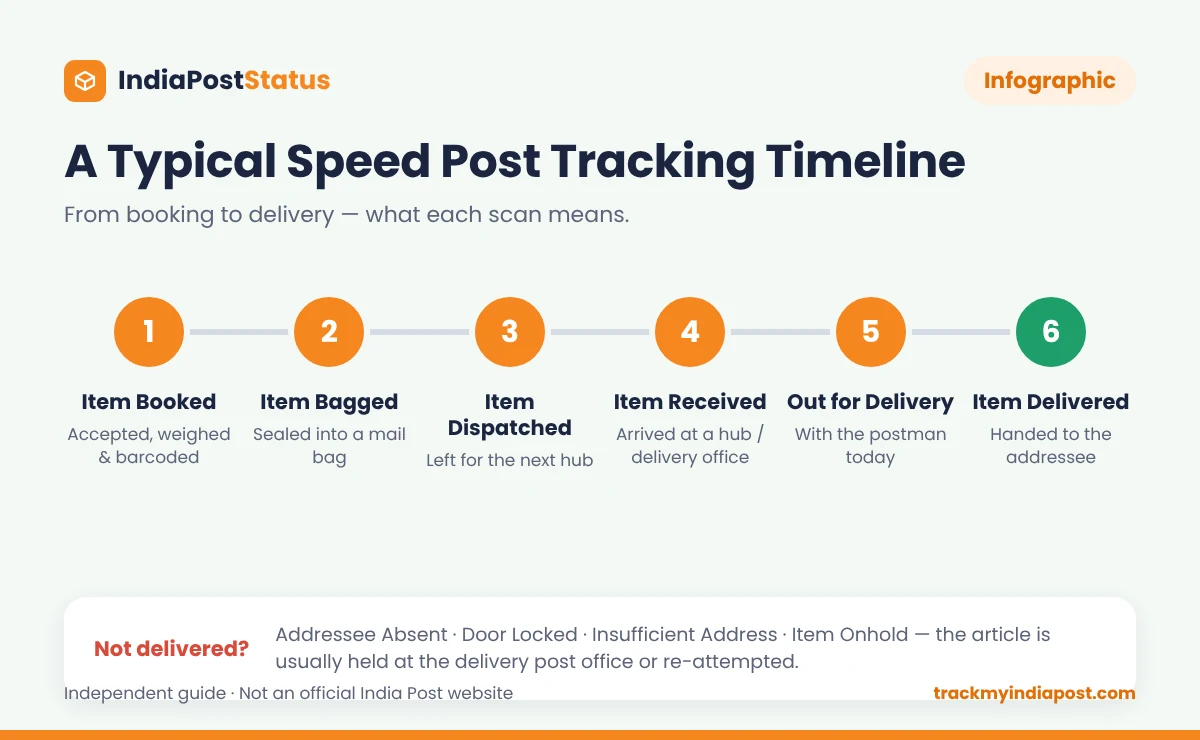
The post office has accepted your article, weighed it, collected the charges and generated the consignment number. This is always the first event. It may take a few hours to appear online after booking.
Item Bagged
Your article has been placed in a sealed mail bag together with other articles going towards the same destination or hub. Bagging normally happens on the day of booking or the next working day.
Item Dispatched
The bag has left the office and is on its way to the next point – usually a Speed Post sorting hub, a transit mail office or the destination city. The office name shown is where it left from.
Item Received
The bag or article has arrived at a new office. You may see this several times as the article moves through different hubs. When the office name matches your local post office, delivery is close.
Bag Opened
The mail bag has been opened at a hub or delivery office and the articles inside are being sorted for the next step.
Item Sent for Delivery / Out for Delivery
The postman has your article in the delivery beat for that day. In most cases, it will be delivered within a few hours. If the article has OTP delivery, keep your phone handy.
Item Delivered
The article has been handed over to the addressee or another person at the address. For articles booked with Registration or OTP delivery, it is handed over only to the addressee or their authorised representative after verification.
Delivery Attempt Statuses (Not Delivered)
These statuses mean the postman tried to deliver but could not. The article is usually kept at the delivery post office and re-attempted or held for collection.
- Addressee Absent / Addressee Left Without Instructions: nobody was available to receive it, and no instructions were left. Visit the delivery post office with ID or wait for a reattempt.
- Door Locked / Premises Locked: the house or office was closed at the time of delivery.
- Insufficient Address: the address is incomplete or the postman could not locate it. Contact the delivery post office with the full address and a landmark.
- No Such Person in the Address: the name did not match anyone at the address.
- Addressee Moved: the recipient no longer lives at that address.
- Item Refused / Refused by Addressee: the recipient declined to accept the article. It will usually be returned to the sender.
- Item Onhold: the article is being held at the post office – for example, waiting for collection, address clarification or a holiday.
Return and Redirection Statuses
- Item Redirected: the article has been sent to a different address, often because the sender or addressee requested it or because the addressee moved.
- Item Returned / Return to Sender: the article could not be delivered and is travelling back to the sender’s address. It will be tracked again under the same consignment number.
- Item Delivered (to Sender): a returned article has reached the original sender.
“No Record Found” or Tracking Not Available
If the tracker shows no result at all, check these three things:
- Is the number exactly 13 characters, with two letters, nine digits and “IN”?
- Was the article booked only a few hours ago? Wait until the next day and try again.
- Did you mix up similar characters such as O and 0 or I and 1?
How Long Does Each Tracking Stage Take?
There is no fixed time for each stage, but these patterns are typical for Speed Post within India:
- Booked to Bagged: the same day or the next working day.
- Bagged to Dispatched: usually within a few hours, depending on the next scheduled mail run.
- Dispatched to Received: a few hours for local and nearby cities, and one to three days for long-distance routes.
- Received at delivery office to Out for Delivery: usually the same or next working morning.
Sundays, public holidays, festivals and bad weather can stretch these timings. If your article is moving between distant states, expect the longest gap between “Dispatched” and “Received” while it travels.
When Should You Worry?
Most delays are temporary. However, you should contact India Post if:
- There has been no new scan for more than five to seven working days.
- The status says “Delivered” but the addressee has not received the article.
- The article shows the same “Item Onhold” status for many days.
- The article is marked for return although the address was correct.
In these cases, call the India Post helpline at 1800 266 6868 (8 AM to 8 PM; IVRS 24×7) or file an online complaint with your consignment number and booking receipt.
Tips to Avoid Failed Deliveries
- Write the complete address with house number, street, landmark and the correct PIN code.
- Include the recipient’s mobile number so the postman can call before delivery.
- Tell the recipient to expect the article, especially if it needs OTP verification.
- For offices, mention the department and the name of the person receiving it.
Final Thoughts
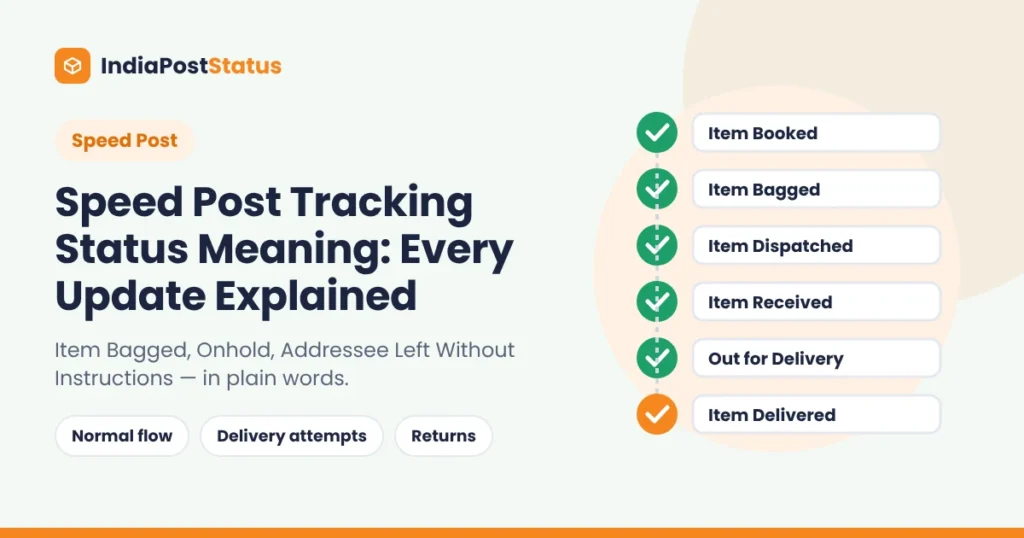
Once you understand what each Speed Post tracking status means, the timeline becomes easy to read: booked, bagged, dispatched, received, out for delivery and delivered. Delivery-attempt messages simply tell you what action may be needed. Learn more in our Speed Post tracking guide and check the latest Speed Post charges for 2026.
Frequently Asked Questions
What does Item Bagged mean in Speed Post?
Item Bagged means your article has been sealed into a mail bag with other articles heading towards the same destination or sorting hub. The next update is usually Item Dispatched.
What does Addressee Left Without Instructions mean?
It means the postman tried to deliver the article but nobody was available and no instructions were left. The article is held at the delivery post office for collection or another delivery attempt.
Why does my Speed Post show Item Onhold?
Item Onhold means the article is temporarily held at a post office, often waiting for collection, address clarification or the next working day. Contact the delivery post office if it stays on hold for several days.
Is Out for Delivery the same as Item Sent for Delivery?
Yes. Both statuses mean the article is with the postman and is expected to be delivered that day.