PAN Card Tracking India Post: Track Your PAN by Speed Post
Find your PAN card Speed Post number on the Protean (NSDL) or UTIITSL status page, track it on India Post, and learn what to do if the card is not delivered.
Applied for a new PAN card or a reprint and waiting for it to arrive? This guide is for you. Your physical PAN card is printed and sent by post to your communication address. Once it is dispatched, you can find its tracking number on the Protean (NSDL) or UTIITSL status page, and then use that number for PAN card tracking on India Post or on the free IndiaPostStatus tracker.
Below, we explain where to find the number, how to track it step by step, what each status means, and what to do if the card does not reach you.
How Your PAN Card Reaches You
Two agencies handle PAN applications for the Income Tax Department: Protean eGov Technologies (many people still call it NSDL) and UTIITSL. When your PAN is allotted, the agency that processed your form prints the card and sends it out.
- If you asked for a physical card, Protean says the card is printed and dispatched to the communication address in your application.
- If you chose only an e-PAN (no physical card), no card is posted. The e-PAN is sent to the email ID you gave in the form.
- PAN allotment and card delivery are two separate stages. A status of “PAN Allotted” does not always mean the card is already on its way.
So the first job is simple: find out whether your card has been dispatched, and get its tracking number.
Where to Find Your PAN Card Speed Post Number
On the Protean (NSDL) status page
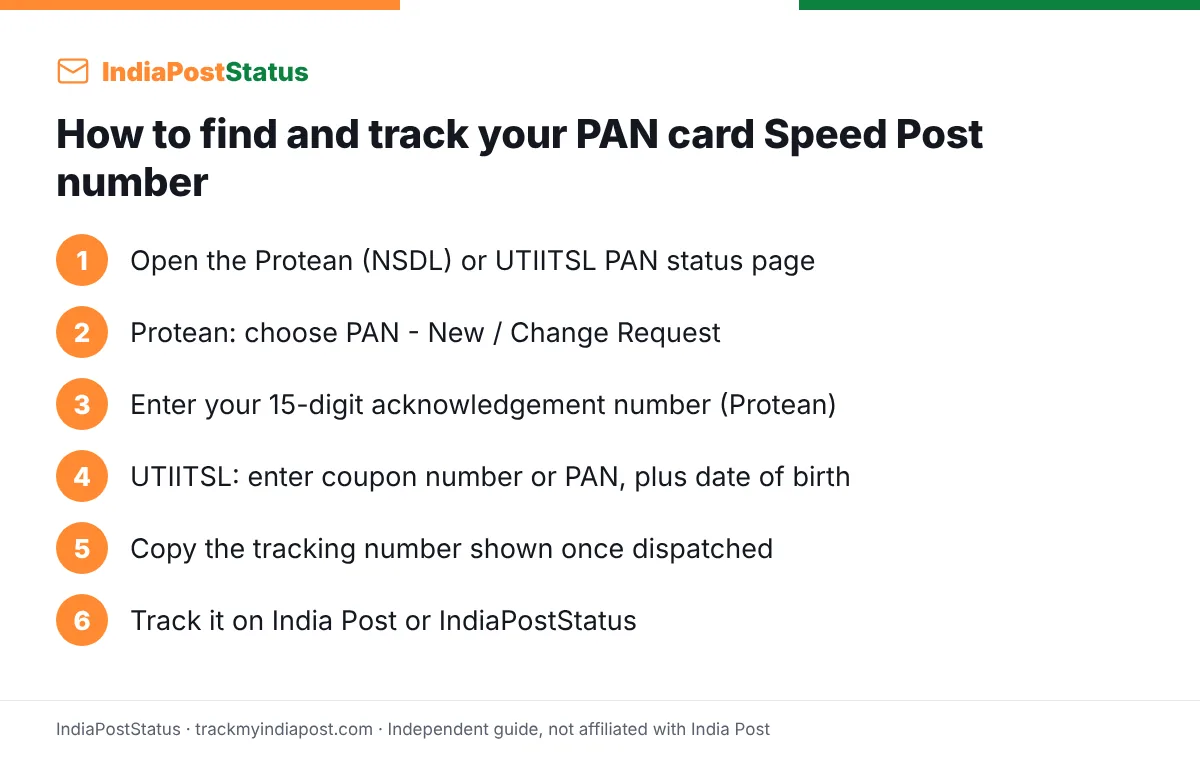
If you applied through Protean (NSDL), keep your 15-digit acknowledgement number ready. Then follow these steps:
- Open the Protean PAN/TAN application status page.
- Under the type of application, select PAN – New / Change Request.
- Enter your 15-digit acknowledgement number.
- Complete the captcha check and submit.
- Read the status. Protean says that when the card has been dispatched, the status message should also include a Speed Post or courier tracking number. Note it down.
On the UTIITSL tracking page
If you applied through UTIITSL, open the UTIITSL Track your PAN Application page. Enter either your application coupon number or your PAN, then your date of birth (or date of incorporation for a company or firm), fill in the captcha and search. If the result shows a postal tracking number, copy it for the next step.
In your SMS or email
Protean says that when your PAN card is dispatched, you will get a consignment number by SMS or email. Check the mobile number and email ID you gave in your application, including the spam folder.
Other ways to check Protean status
If you cannot use the website, Protean lists two more options:
- Phone: call Protean on 020 2721 8080. Keep your acknowledgement number, full name and date of birth (as in the application) ready.
- SMS: type NSDLPAN followed by a space and your 15-digit acknowledgement number, and send it to 57575.
How to Track Your PAN Card on India Post
Once you have the Speed Post number, tracking takes less than a minute. A Speed Post number looks like this example: EE123456789IN. If you are not sure your number is in the right format, read our India Post tracking number guide.
Option 1: Use the IndiaPostStatus tracker
- Open the IndiaPostStatus India Post tracker.
- Type or paste your Speed Post number without spaces.
- Tap Track to see the delivery timeline.
There is no login, no app and no charge. It works well on mobile data too.
Option 2: Use the official India Post website
- Go to indiapost.gov.in.
- Find the Track box labelled “Consignment / Money Order Number”.
- Enter your Speed Post number, complete the captcha and select Track.
For more on how Speed Post tracking works, see our Speed Post service page and our full India Post tracking guide.
What PAN Card Status Messages Mean
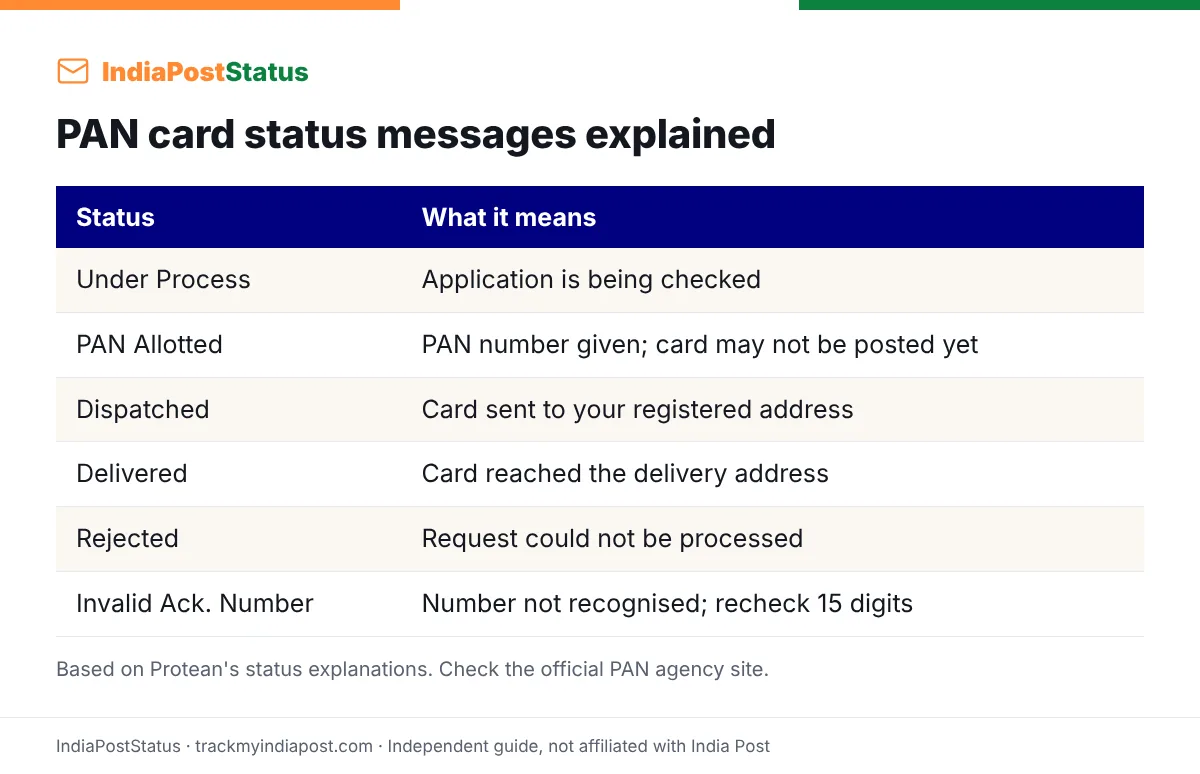
The status on the Protean or UTIITSL page tells you where your application stands. Here is what the common messages mean, based on Protean’s own explanations:
| Status | What it means | What you should do |
|---|---|---|
| Under Process / Under Scrutiny | Your application has been received and is being checked. | Wait and check again after some time. |
| PAN Allotted | A PAN number has been given to you. The card may not be posted yet. | Check again later for dispatch details. You may be able to get your e-PAN. |
| Dispatched | Your physical PAN card has been sent to your registered address. | Note the tracking number and track it on India Post. |
| Delivered | The card has reached the delivery address. | Check the PAN, name, date of birth and photo on the card. |
| Rejected | The request could not be processed. | Check the reason and correct the details or documents. |
| Invalid Acknowledgement Number | The tracker does not recognise the number. | Check all 15 digits and that you are on the right agency’s site. |
What India Post Tracking Updates Mean
Once your card is with India Post, the tracking result shows updates on the current status and location of your card. Read the latest update first, as it tells you where the card is now.
Each update has a specific meaning. For a plain-language list of every status, read our guide to Speed Post tracking status meanings.
What to Do If Your PAN Card Is Not Delivered or Returned
Status says delivered, but you do not have the card
Protean suggests checking with family members or building security first. If the card is still not found, contact the delivery service (India Post) or your PAN agency’s helpline straight away.
Dispatched, but tracking has not moved
Use the tracking number to check the latest movement. If there is no update for several days, Protean advises contacting the PAN agency’s helpline with your acknowledgement number and tracking details. You can also contact India Post:
- India Post toll-free helpline: 1800 266 6868. Agents are available from 8 AM to 8 PM. The IVRS works 24×7, including Sundays, except gazetted holidays.
- Online complaint: use the India Post file-a-complaint page. Keep your Speed Post number handy.
For a full walkthrough, see our guide on what to do when Speed Post is delayed or lost.
Card returned or sent to a wrong address
If the card cannot be delivered, for example because of a wrong or old address, first confirm the communication address in your PAN records. Protean notes that if the address is wrong, you may need to apply for a reprint.
- UTIITSL reprint: available when your PAN card was processed and dispatched through UTIITSL, and only when there is no change in PAN data. The fee is ₹50 (including taxes) for delivery to an Indian address. The card is sent to the communication address in the latest records.
- Protean reprint: you apply online with your Aadhaar number and verify with an OTP sent to your registered mobile number. After payment you get a 15-digit acknowledgement number, which you can use to track the new card.
If your details need to change (not just a fresh print), a reprint is not enough. Apply for a PAN change or correction instead on UTIITSL or Protean.
Quick Tips for Tracking Your PAN Card
- Save your acknowledgement or coupon number the day you apply. You need it for every status check.
- Keep the mobile number and email in your application active, so you get the dispatch SMS or email.
- Write down the Speed Post number as soon as it appears. Track it once a day instead of every hour.
- When the card arrives, check every printed detail before you use it.
Disclaimer: IndiaPostStatus is an independent website and is not affiliated with India Post or the Department of Posts. Rates, rules and dates change often, so always verify the information on the official India Post website, indiapost.gov.in, before you act.
Frequently Asked Questions
How do I get the Speed Post number for my PAN card?
Check your status on the Protean (NSDL) or UTIITSL tracking page. Protean says the dispatched status should include a Speed Post or courier tracking number, and that you will also get the consignment number by SMS or email.
Can I track my PAN card with only the acknowledgement number?
The acknowledgement number shows your application status on the Protean page. To follow the card in the post, you need the Speed Post number shown after dispatch.
My status says “PAN Allotted”. Has my card been posted?
Not always. Allotment and card delivery are separate stages. Check again later for a dispatched status and tracking number.
I chose e-PAN only. Will I get a card by post?
No. If you did not ask for a physical card, it is not dispatched. The e-PAN is sent to the email ID in your application.
Who should I contact if my PAN card is lost in the post?
Contact your PAN agency’s helpline with your acknowledgement number and tracking details. You can also call the India Post helpline on 1800 266 6868 or file a complaint online.
Got your Speed Post number? Track your PAN card now on the IndiaPostStatus tracker and see every update in one place.